 By
By 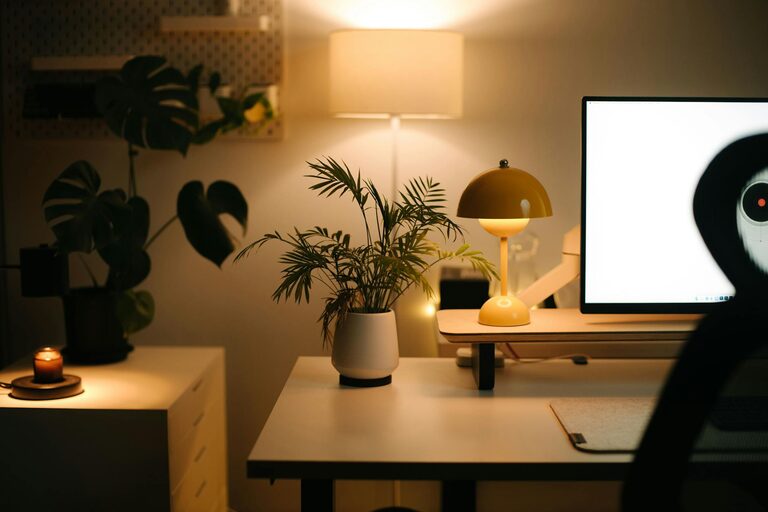
Creating a cozy and inviting home workspace is essential for anyone working remotely or managing tasks from home. A comfortable, personalized area can improve focus, reduce stress, and make work feel less like a chore. Whether you have a dedicated room or just a corner of your living space, here are practical tips to transform your workspace into a space you love spending time in.
Choose the Right Location
The foundation of a cozy workspace starts with selecting the best spot in your home:
– Natural Light: Aim for a space near windows to benefit from natural light. Sunlight helps boost mood and energy.
– Quiet Area: Pick a place away from heavy foot traffic and loud noises to minimize distractions.
– Space to Move: Ensure there is enough room for your desk, chair, and any equipment you need without feeling cramped.
Even a small nook can become a pleasant workspace with the right setup.
Invest in Comfortable Furniture
Your chair and desk are the backbone of your home office comfort. Consider these points:
– Ergonomic Chair: A supportive chair helps prevent back pain and encourages good posture.
– Desk at the Right Height: Position your desk so that your arms rest comfortably while typing.
– Flexibility: If possible, use adjustable furniture for sitting or standing to change positions throughout the day.
Comfortable furniture helps you focus longer and reduces physical discomfort.
Personalize Your Space
Adding personal touches makes your workspace inviting and uniquely yours:
– Decorate with Plants: Greenery adds life and can improve air quality.
– Use Art and Photos: Display favorite images or inspiring quotes that motivate you.
– Choose Soothing Colors: Soft tones like blues, greens, or pastel shades help create a calm environment.
Personalization encourages a positive mindset and keeps you connected to your space.
Organize and Declutter
A tidy workspace reduces stress and boosts productivity:
– Use Storage Solutions: Shelves, drawers, and organizers keep supplies accessible but out of sight.
– Keep Only Essentials on Your Desk: Limit clutter to what you use daily.
– Regular Maintenance: Set aside time weekly to clear away unnecessary items.
A clean, well-organized area allows for clearer thinking and efficient work.
Enhance Lighting
Good lighting is key to reducing eye strain and setting a pleasant atmosphere:
– Layered Lighting: Combine overhead lighting with task lamps for flexible brightness.
– Adjustable Desk Lamps: Choose lamps with adjustable brightness and color temperature.
– Avoid Glare: Position screens and lamps to prevent glare that hurts your eyes.
Investing in proper lighting supports comfort and productivity throughout your workday.
Incorporate Comfort Elements
Small touches can make your workspace much cozier:
– Soft Textiles: Add a cushion for your chair or a warm throw nearby.
– Temperature Control: Use a fan or heater as needed to maintain a comfortable temperature.
– Essential Oils or Candles: Subtle scents can calm the mind (ensure safety with candles).
Comfort items create a welcoming environment that helps you stay relaxed and focused.
Set Clear Boundaries
When working from home, it’s important to separate work from leisure:
– Define Your Work Hours: Having a schedule helps maintain balance.
– Use Physical Cues: A desk or a specific chair signals work time.
– Communicate With Others: Let family or roommates know when you’re working.
Clear boundaries support productivity and prevent burnout.
Add Technology Thoughtfully
Technology should support your work without adding clutter:
– Cable Management: Use clips or sleeves to keep cords organized.
– Essential Devices Only: Limit extra gadgets to reduce distractions.
– Good Wi-Fi: Reliable internet is crucial for smooth work.
Smart choices with technology make your setup efficient and pleasant to use.
Create a Relaxation Spot
If space allows, add a small area for breaks:
– Comfortable Chair or Bean Bag: Take short breaks to recharge.
– Reading Material or Music: Have something relaxing nearby to switch gears.
– Hydration Station: Keep a water bottle or tea nearby to stay refreshed.
Short breaks improve overall productivity and well-being.
—
Transforming your home workspace into a cozy, inviting spot doesn’t require a big budget or extensive renovation. By prioritizing comfort, personalization, and organization, you can create an enjoyable environment that supports your daily tasks and makes working from home a positive experience. Take small steps, tweak your space as you go, and enjoy the benefits of a workspace that feels truly yours.